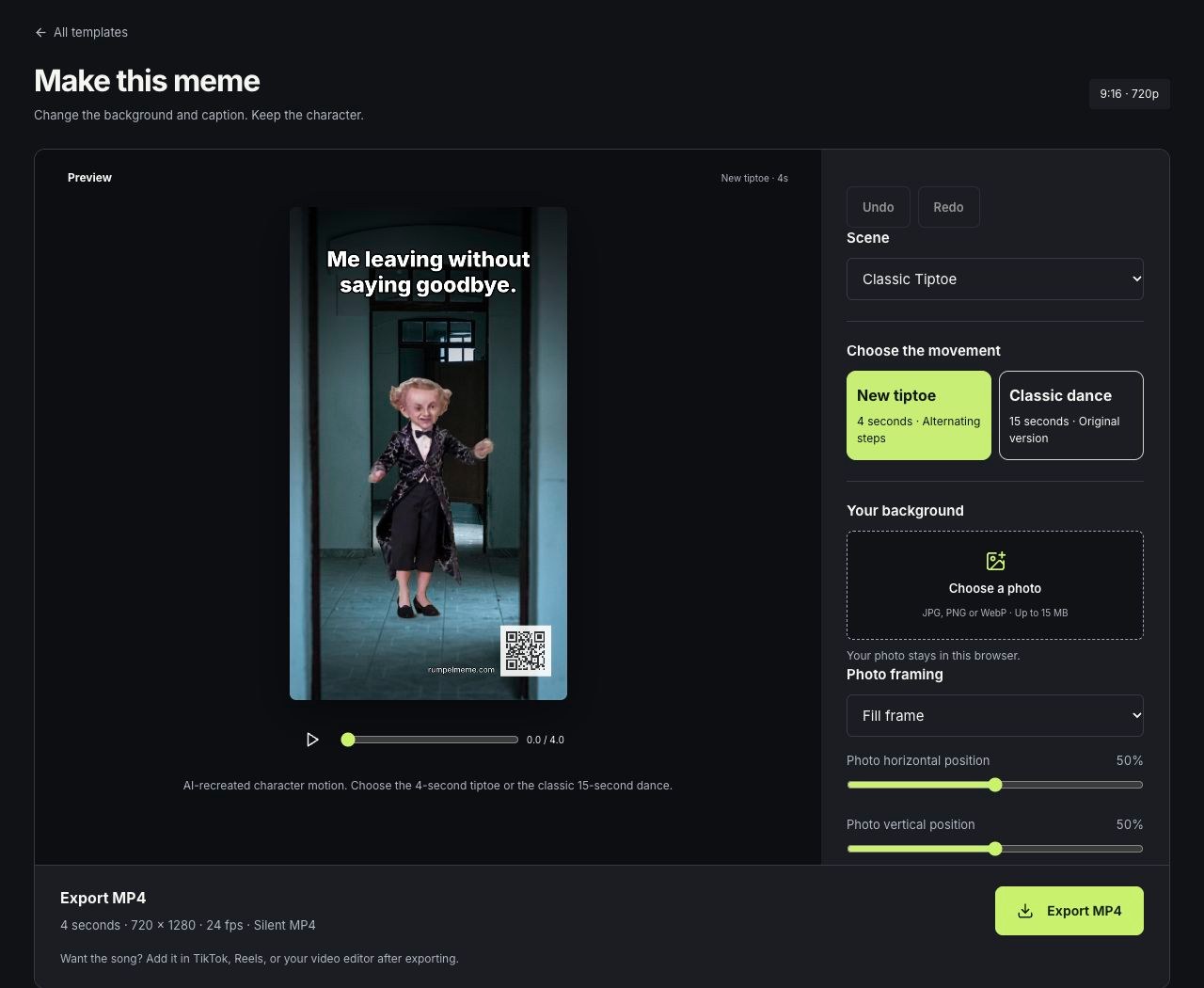
1. Choose a scene and a punchline
Open a template to load a complete example. Caption suggestions are available in the editor. Choose one or write up to 140 characters; the preview wraps the text inside the upper safe area. If you add too many line breaks, shorten the caption before exporting.
2. Add a photo and frame the character
Choose a JPEG, PNG or WebP under 15 MB to replace the background. HEIC files must be converted first. Fill frame crops the image; Show whole photo preserves it with margins. Adjust the photo sliders separately from the character’s position, size and mirror controls. Your uploaded photo stays in this browser. Switch between the 4-second tiptoe and 15-second classic dance without losing your photo, caption or placement.
3. Export and save
Choose New tiptoe (4 seconds) or Classic dance (15 seconds), play the preview, then select Export MP4. The result is 720 × 1280 at 24 fps, with a small website and QR signature and no audio. Keep the tab open while encoding. Cancel stops the export and preserves your edits. Once complete, Share video opens the system share sheet on supported devices. You can also save the MP4 and copy the caption, then upload them in your social app and add the song.